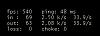
Just thought I'd pass this on for what it is worth. I contacted customer support about the constant background downloads, 'cause my laptop seemed to lag more when they were taking place. I was told I could download the entire game in one go, and no longer have the background downloads. This took a while to do, but once it was done, it was helpful.
To download all the available game data, type all of the the following in
Start->Run (including the quotes):
"C:\Program Files\Guild Wars\Gw.exe" -image
[Or if your game path is different, obviously enter the proper path to the gw.exe file]
I run this whenever there is an update to make sure I get everything at once.

A tip for people with lag
1 pages • Page 1
E
Quote:
|
Originally Posted by EiS
i think almost everybody here knows this already thats old news but thxs anyways
|
Quote:
|
Originally Posted by lil_necro_chick
ROFL I didn't know we all popped out of the womb knowing everything there was to know about GW. I think people who are new to the game might just disagree that they knew this already...lol - I didn't know it, but perhaps I should have absorbed it from the ether, or somewhere...like...that.
|
It's nice to post it though as i agree that not everyone might know about this, i'd just like to point out that the information isn't just in the ether, it's on a lot of forums and mentioned on a fair amount of threads too just hard to find sometime.
Quote:
|
Originally Posted by elLOCOmutha
Thanks for posting...new players don't always know where and how to find great tweaks like these.
![]() |

T
i'm glad a few people found it helpful, even if it was posted in the wrong place... at the wrong time, hehe.
As a new player, i'm still figuring out a lot of things, and locating information like I posted would have been virtually impossible since I wouldn't have known what it was I was searching for (i.e. give me a "switch" that reduces my lag problem.... hm, i don't think so).
btw - i can't locate any threads because the search function doesn't work for me here... so that's my excuse and im sticking to it.
Maybe this thread should be -->MOOOOVED--> to the tech place.
As a new player, i'm still figuring out a lot of things, and locating information like I posted would have been virtually impossible since I wouldn't have known what it was I was searching for (i.e. give me a "switch" that reduces my lag problem.... hm, i don't think so).
btw - i can't locate any threads because the search function doesn't work for me here... so that's my excuse and im sticking to it.
Maybe this thread should be -->MOOOOVED--> to the tech place.
M
Everyone should know this, but people obviously still do not. After any major update, people complain about lag, a significant portion of those lag complaints are attributable to players not fully updating their game.
If you play Guild Wars without ever doing a -image, you are doing yourself and the game a disservice. The streaming tech is great and works well but it does impact the fluidity of the game and slows load time, etc.
Peeps need to remember to remove/or not use -image switch when they wish to just play the game because, of course, the game won't load.
If you play Guild Wars without ever doing a -image, you are doing yourself and the game a disservice. The streaming tech is great and works well but it does impact the fluidity of the game and slows load time, etc.
Peeps need to remember to remove/or not use -image switch when they wish to just play the game because, of course, the game won't load.
Quote:
|
Originally Posted by Kuldebar Valiturus
Everyone should know this, but people obviously still do not.
|
Yeah -image is good, but only do it once in a while or once when you just install the game and want everything in one go. Also good if your .dat file get corrupted and you need a fresh one. Be sure to have room for the download files as well 4-5 gb, i think. Don't forget to delete the -image after you done as well.
I'm sure I seen this tread in Tech Q&A before, wasnt it get locked by a mod? Anyway -image is good take a while to do but worth it.
This has been said a couple of times in this thread and i want to clear it up - you create the image using the Start->Run menu, but the program is not launched from there. [Who launches GW that way? Anyone?] It's normally launched from a shortcut, so the -image in the Start-> Run menu has no bearing on using the shortcut. There's nothing you need to delete or change in order to run the game afterwards using your regular shortcut.
I also see no problem in running it when there is an update. It only downloads the new files, not the whole image. If you try to run it when the image is up to date, nothing happens.
Now, if your .dat file is corrupted, are you saying to delete the .dat file and run the image afterwards?
How would you know it was corrupted?
I also see no problem in running it when there is an update. It only downloads the new files, not the whole image. If you try to run it when the image is up to date, nothing happens.
Now, if your .dat file is corrupted, are you saying to delete the .dat file and run the image afterwards?
How would you know it was corrupted?