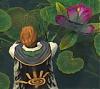
The infmaous me is back..
And I play like just about everyone else, left hand on my keyboard, right on my mouse. The way it's supposed to be played. I've never tried to change buttons. But my ui helps me heal.. I guess. that's it's initial purpose.
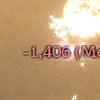
And I know that's 600, I made sure it was.
So, "how" do you play Guild Wars?
2 pages • Page 2
Quote:
|
Originally Posted by Alleji
Left hand on mouse, right hand on keyboard :P
I have everything bound to numpad and keys around it: 8,4,6,2 to move 7,9,5,1,+ for targeting arrow keys, right ctrl, numpad enter and page up+page down cover the 8 skills Although in certain situations I use the mouse to target and to move. For example, in PvP I do most of targeting by clicking on people and mouse-walk when I'm running flags or relics to avoid rubberbanding. |
Quote:
|
Originally Posted by Kuldebar Valiturus
Now that's unique, Ripskin.
Do you use the keybind shortcut to select Party Member to heal? Or just click party member and keyboard in skill slot? |

It makes me happy to play GW and not need 30 addons to make it sexy like that.
L
Left hand on keyboard, right hand on mouse.
My left hand is stationed on 1-4 (not the number pad) for the first four skills, and then Q, W, E and R are set up for skills 5-8. I can easily press Tab, T, C, etc to call/switch targets and what not this way.
Meanwhile my right hand is on the mouse and clicking on party members (since mostly I been playing the monk) and clicking the ground to kite. Also provides quick way to rotate camera when I need to see other places around me, and can easily press my third mouse button to talk on Vent/TS.
My left hand is stationed on 1-4 (not the number pad) for the first four skills, and then Q, W, E and R are set up for skills 5-8. I can easily press Tab, T, C, etc to call/switch targets and what not this way.
Meanwhile my right hand is on the mouse and clicking on party members (since mostly I been playing the monk) and clicking the ground to kite. Also provides quick way to rotate camera when I need to see other places around me, and can easily press my third mouse button to talk on Vent/TS.
Left hand on keyboard, right on mouse.
I disable the "click to move" as I found I moved when I didn't want to. To move I use the "hold right mouse to move camera, press left to move where facing" - I played quite a few FPS's that used this and got used to it. To move backwards I do use the "s" key though, but other than farming it is rare I move backwards. If attacking I'm moving forward, if I need to retreat "x" and move forward.
For close targets I use "c" and then tab around - space or ctrl-space to attack. I use my left hand for skills in the slots 1-5, the mouse for the others. For further targets I use a "ctrl" key to show their names and click with the mouse.
As for my interface I tend to move things to where my eyes stay. For most of my characters that is towards my skill bar when fighting, at the center of the screen when positioning. Thus "tactical" information (health, energy, enemy skill used, enchant/hexes on me, etc) are down low, and strategic information (radar, map, who I currently have targeted) is up towards the top. It seems to work fairly well to me - though there are some interesting layouts I have seen I may try parts of - Ripskins is one
I disable the "click to move" as I found I moved when I didn't want to. To move I use the "hold right mouse to move camera, press left to move where facing" - I played quite a few FPS's that used this and got used to it. To move backwards I do use the "s" key though, but other than farming it is rare I move backwards. If attacking I'm moving forward, if I need to retreat "x" and move forward.
For close targets I use "c" and then tab around - space or ctrl-space to attack. I use my left hand for skills in the slots 1-5, the mouse for the others. For further targets I use a "ctrl" key to show their names and click with the mouse.
As for my interface I tend to move things to where my eyes stay. For most of my characters that is towards my skill bar when fighting, at the center of the screen when positioning. Thus "tactical" information (health, energy, enemy skill used, enchant/hexes on me, etc) are down low, and strategic information (radar, map, who I currently have targeted) is up towards the top. It seems to work fairly well to me - though there are some interesting layouts I have seen I may try parts of - Ripskins is one


Right hand always on the mouse, but my other hand is not always on keyboard. I like to play mainly with mouse, but selecting enemies and picking up loot I use keyboard for.=P
I only play 'free-style' in pre-Searing because I love the landscape there.=D
My interface hasn't been changed for weeks, I like how it is now and don't see why I would want to change it.=P
I only play 'free-style' in pre-Searing because I love the landscape there.=D
My interface hasn't been changed for weeks, I like how it is now and don't see why I would want to change it.=P
Same as ordinary GW player Left hand for moving and using skill,right hand for targeting and changing views. Only skill slot 6 and 7 move to Q and E for easier reach.
The Ui chage a bit to keep my mesmer interupt play a little easier by draging enemys' health and skill display down to my skillbar.
And Change the enrgy bar to vertical and keep the maintain echantment near it. In case im playing bond monk.
The Ui chage a bit to keep my mesmer interupt play a little easier by draging enemys' health and skill display down to my skillbar.
And Change the enrgy bar to vertical and keep the maintain echantment near it. In case im playing bond monk.
Same as ordinary GW player Left hand for moving and using skill,right hand for targeting and changing views. Only skill slot 6 and 7 move to Q and E for easier reach.
The Ui chage a bit to keep my mesmer interupt play a little easier by draging enemys' health and skill display down to my skillbar.
And Change the enrgy bar to vertical and keep the maintain echantment near it. In case im playing bond monk.
The Ui chage a bit to keep my mesmer interupt play a little easier by draging enemys' health and skill display down to my skillbar.
And Change the enrgy bar to vertical and keep the maintain echantment near it. In case im playing bond monk.
S
Quote:
|
Originally Posted by «Ripskin
The infmaous me is back..
And I play like just about everyone else, left hand on my keyboard, right on my mouse. The way it's supposed to be played. I've never tried to change buttons. But my ui helps me heal.. I guess. that's it's initial purpose. And I know that's 600, I made sure it was. |
g