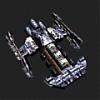
Does anyone know how to get this color?

1 pages Page 1
hellyea526
hellyea526
Forge Runner
#1
Hey, I just recently bought a Pyroclastic Axe and while it looks nice dyed black, I've been trying to get it look like this: http://wiki.guildwars.com/wiki/Image...lastic_Axe.jpg

For some reason, I can't manage to look anywhere near the golden color in the picture. I was wondering if anyone knew what dye combo was used or any suggestions, thanks!!

C
Commander Ryker
Site Contributor
#2
Have you tried anything? It looks like it's orange/yellow/silver.....or some combination there of. Or orange and silver.
B
Billeh
Academy Page
#3
Gray dye returns an object to its origiinal color, try that. If not, I am not sure how to get that combo.
C
Commander Ryker
Site Contributor
#4
Quote:
Originally Posted by Billeh
Gray dye returns an object to its origiinal color, try that. If not, I am not sure how to get that combo.
No......grey dye turns it grey. The old dye remover we use to have returned things to their previous color.
lakatz
lakatz
Wilds Pathfinder
#6
According to this page, it looks like yellow. Look at the image with no dye and the image with yellow. They're virtually the same. http://gw.gamewikis.org/wiki/Pyroclastic_Axe (scroll down for the dye images)

Keep in mind that colors look different in different light. The image of the pyroclastic axe featured on the official wiki site (that you linked to) appears a very different color than the image in the dye section of the axe with no dye, yet they're the same.